Scheduling without the back and forth
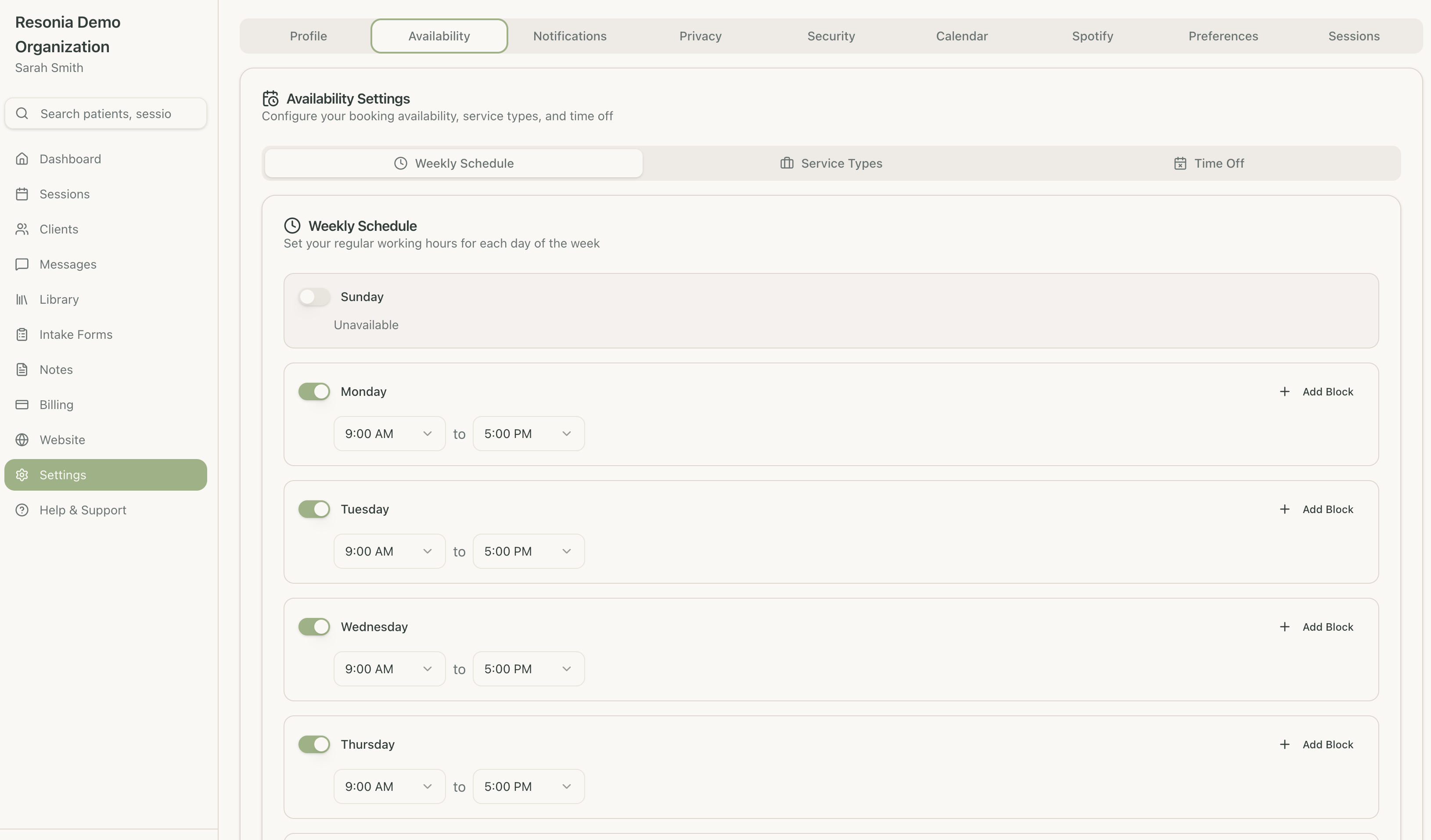
Clients book themselves around the hours you set. Reminders go out on their own, and your calendar stays the single source of truth.
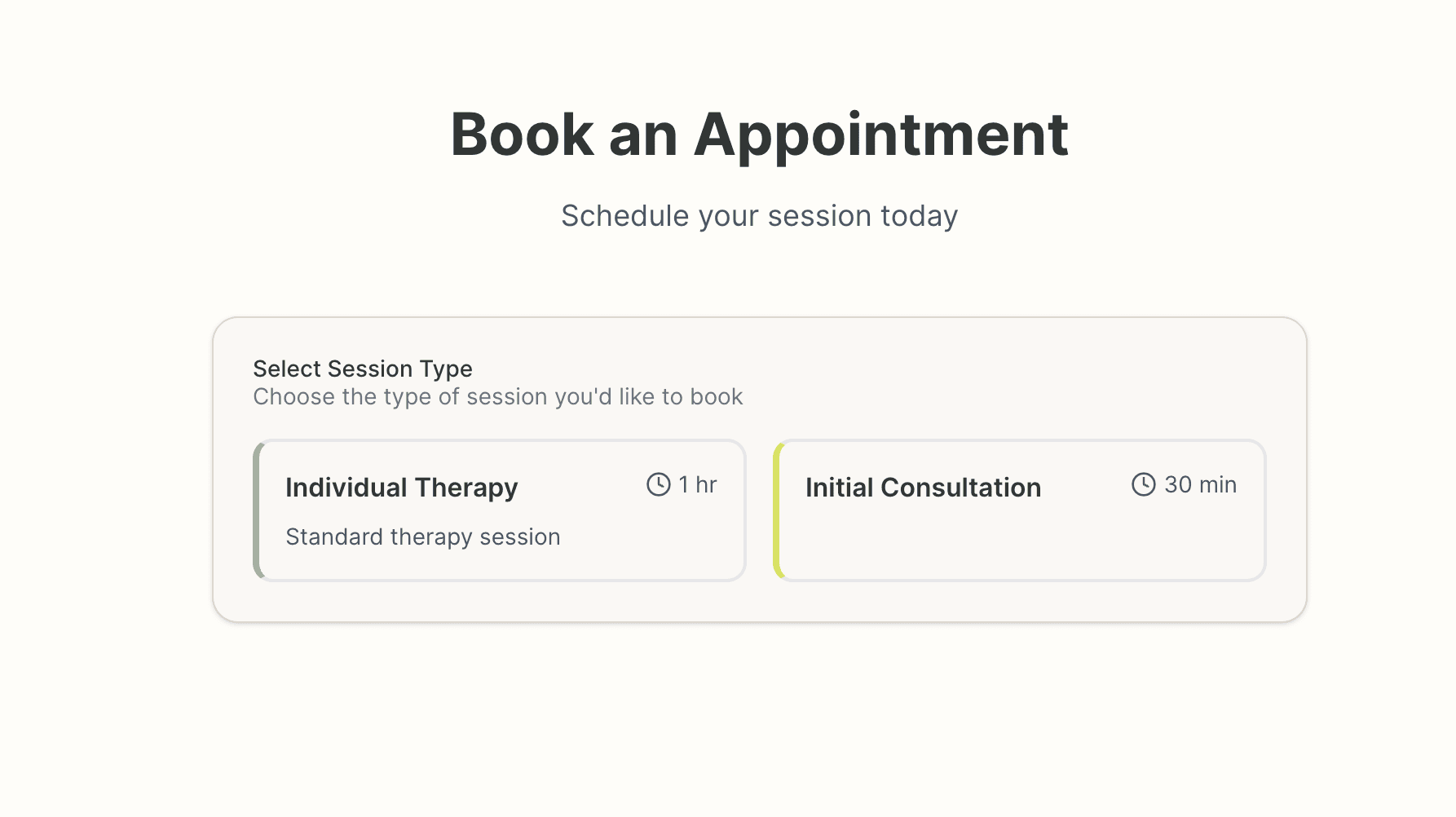
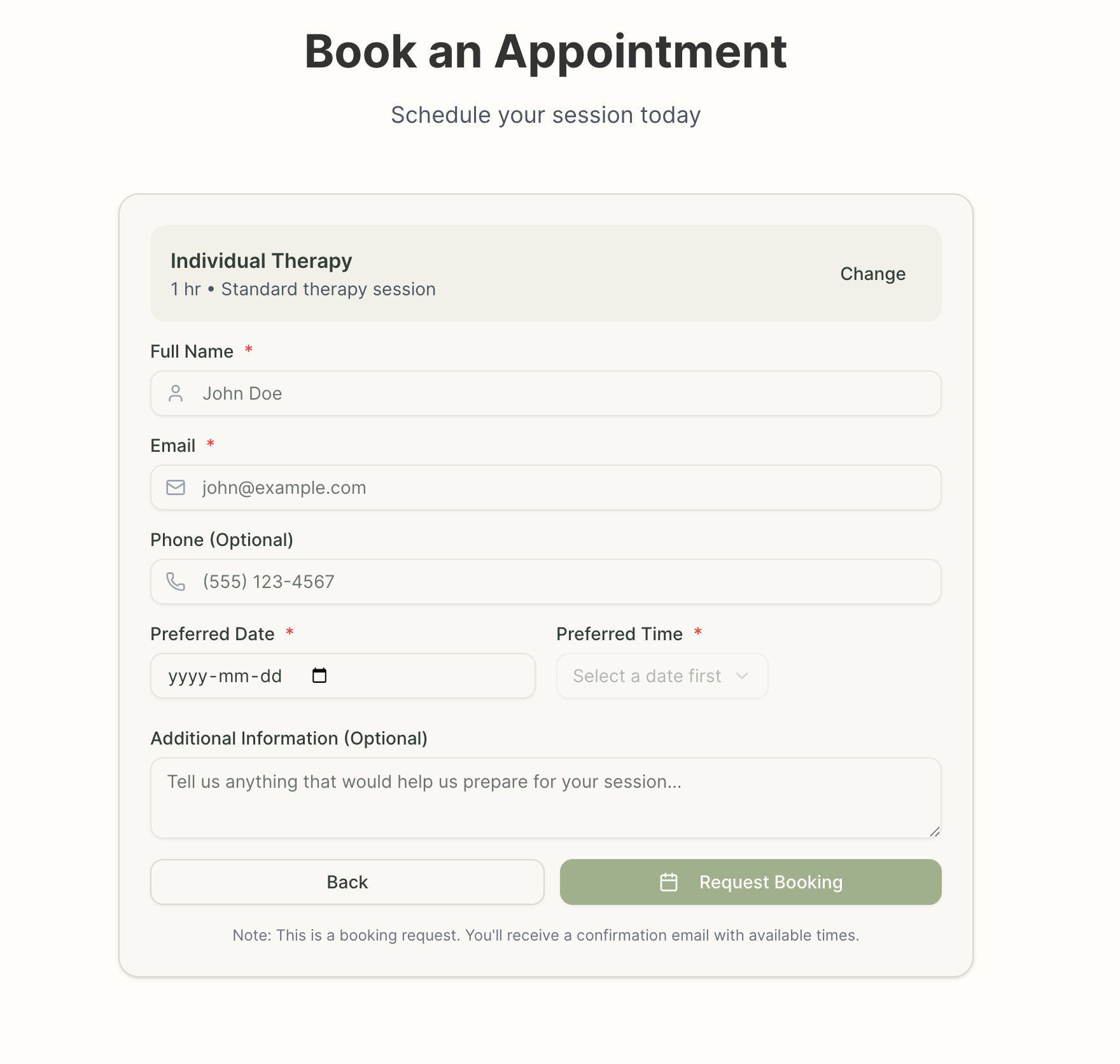
Clients choose from your available session types
What the scheduler takes care of
The recurring, forgettable parts of running a calendar
Calendar sync
Two-way sync with Google Calendar and Outlook, so your schedule is the same everywhere you look.
Self-booking, day or night
Clients book, reschedule, or cancel at any hour through your website or the client portal.
Automatic reminders
Email and SMS reminders go out 24 hours before each appointment, without you sending them.
Instant confirmations
Clients receive a booking confirmation by email with a calendar invite attached.
Buffer time
Set buffer time between sessions, lunch breaks, and administrative blocks once; the calendar respects them.
Insurance verification
Verify insurance eligibility and benefits before the first session.
What changes in your week
Less time brokering appointment times, more time in session
Clients book themselves at any hour, including the ones you are asleep
Recurring appointments are set up once
A waitlist fills slots when someone cancels
Two-way sync with the calendar you already use
Availability can differ by session type
Group sessions are scheduled the same way
Reminders go out by email and SMS automatically
Confirmations and calendar invites are sent for you
Set your hours, share a link, take the booking
Setup is a single sitting
Define working hours, session types, and buffer times, and sync your existing calendar.
Embed the booking widget on your website or send clients your personal booking link.
Clients book around your hours. You get a notification; they get confirmations and reminders.
Fewer emails about finding a time
We’re in early access. Join the waitlist and we’ll be in touch when your spot opens.